Geometry Dash: Ball Editor


What Is Geometry Dash: Ball Editor?
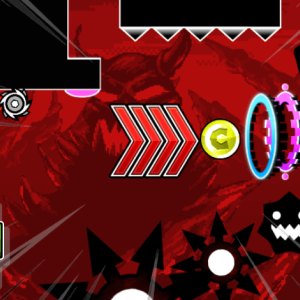
Geometry Dash: Ball Editor is a fan-made game inspired by Geometry Dash, where the player not only controls the ball — they also build the entire level. You can place different game elements like:
Blocks – Form platforms or create tricky jumps.
Saws – Deadly obstacles that the ball must avoid.
Gates – Change the behavior of the ball (e.g., gravity or direction).
Speed gates – Increase or slow down the ball’s movement.
This mix-and-match approach lets players create anything from simple levels for beginners to mind-blowing, nearly impossible challenges.
How to Play
The game opens in editor mode, and you can begin building right away. Here's how to get started:
Use your mouse to select different elements from the toolset.
Click to place blocks, saws, and gates onto the map.
Test your level by pressing play — watch how the ball reacts to your design.
Adjust and improve your level by editing any part at any time.
On the screen, you'll see a variety of buttons. Each one activates a different tool or feature:
Block placement
Obstacle setup
Gravity or mode-changing gates
Speed adjustments
Experiment with different tools and design levels that are easy, hard, crazy, or even impossible!